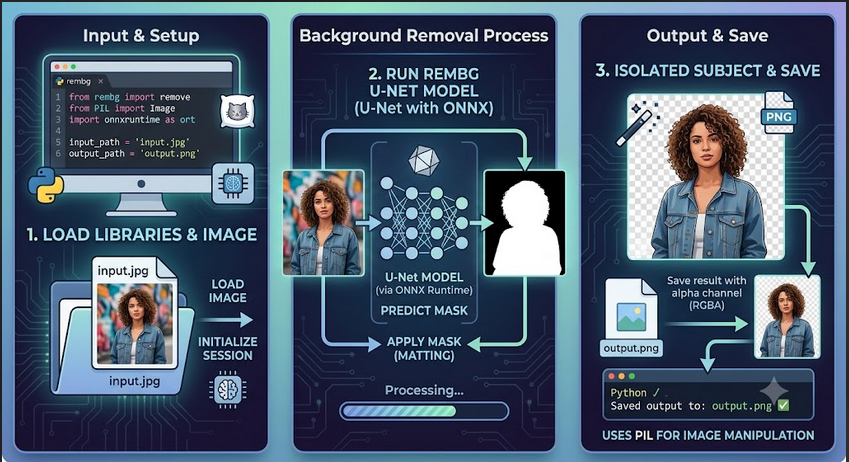
Want to remove image backgrounds automatically? You can do it in just a few lines of Python code! No Photoshop needed! Here is how to strip away image backgrounds using Python. Say goodbye to manual background erasure and let Python handle the work for you.
Removing image backgrounds has never been easier thanks to Python’s rembg library. In this quick tutorial, you will learn how to build your own background remover using Python and AI. With just a simple Python script, you can cleanly isolate any subject from its background instantly.
This Python solution utilizes the rembg package powered by ONNX Runtime for efficient background removal. You can run this script using your CPU or leverage GPU acceleration for faster batch processing. Follow this guide to set up your environment, install the required dependencies, and execute the script.
- Prerequisites
# For CPU users:
pip install rembg onnxruntime
# For GPU acceleration (Faster):
pip install rembg[gpu] onnxruntime-gpu- The Code
Save as rembg.py
from rembg import remove
from PIL import Image

# Define input and output file paths
old_image = 'tested.png'
output_image = 'new-tested.png'

# Process the image
orig_img = Image.open(old_image)
new_img = remove(orig_img)

# Save the result
new_img.save(output_image)- How to use
python rembg.py