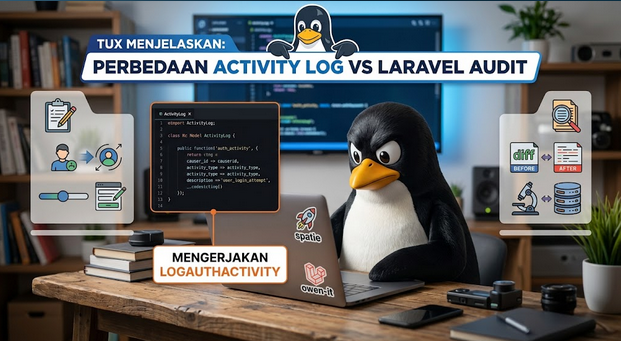
Tracking user authentication is a critical step in securing any modern web application. Whether you need to monitor user behavior or detect brute-force attacks, having an audit trail of successful logins and failed login attempts is indispensable.
In this tutorial, we will learn how to build an elegant, controller-free authentication logger in Laravel 13 using the popular Spatie Laravel Activitylog package.
Why You Shouldn’t Use Controllers for Logging
Many developers make the mistake of adding logging logic directly inside their Login Controllers. This approach violates the Separation of Concerns principle and clutters your authentication logic.
Instead, Laravel provides a powerful Event System. Every time a user attempts to log in, Laravel fires backend events like Login or Failed in the background. By hooking into these events using an Event Listener
Step-by-Step Implementation
Step 1: Create a Unified Event Listener
Instead of creating separate files for success and failure, we will create a single, clean listener to handle all authentication events. Run the following Artisan command in your terminal:
php artisan make:listener LogAuthenticationActivityStep 2: Write the Logging Logic
Open the newly created listener file located at app/Listeners/LogAuthenticationActivity.php
<?php

namespace App\Listeners;

use Illuminate\Auth\Events\Login;
use Illuminate\Auth\Events\Failed;
use Illuminate\Http\Request;

class LogAuthenticationActivity
{
    /**
     * Inject the HTTP Request to capture IP and User Agent.
     */
    public function __construct(protected Request $request) {}

    /**
     * Handle the authentication events.
     */
    public function handle(Login|Failed $event): void
    {
        $ip = $this->request->ip();
        $userAgent = $this->request->userAgent();

        match (true) {
            // Handle successful login
            $event instanceof Login => activity()
                ->causedBy($event->user)
                ->performedOn($event->user)
                ->useLog('login-success')
                ->withProperties(['ip' => $ip, 'user_agent' => $userAgent])
                ->log("User {$event->user->email} successfully logged in."),

            // Handle failed login attempt
            $event instanceof Failed => activity()
                ->causedBy($event->user) // Will be null if the user doesn't exist
                ->useLog('login-failed')
                ->withProperties([
                    'ip' => $ip,
                    'user_agent' => $userAgent,
                    'attempted_credentials' => array_keys($event->credentials) // Security: Only save keys, never the password!
                ])
                ->log(sprintf(
                    "Failed login attempt for email: %s",
                    $event->credentials['email'] ?? 'Unknown Account'
                )),
        };
    }
}
🔒 Security Notice: Notice how we used array_keys($event->credentials) for failed attempts. Never save plain-text passwords into your database logs. Storing only the metadata (like 'email') protects user privacy while giving you the necessary context.
Step 3: Register the Listener in AppServiceProvider
In Laravel 13, registering explicit event-to-listener mappings is best handled inside your AppServiceProvider.
Open app/Providers/AppServiceProvider.php
<?php

namespace App\Providers;

use Illuminate\Support\ServiceProvider;
use Illuminate\Support\Facades\Event;
use Illuminate\Auth\Events\Login;
use Illuminate\Auth\Events\Failed;
use App\Listeners\LogAuthenticationActivity;

class AppServiceProvider extends ServiceProvider
{
    public function boot(): void
    {
        // Bind multiple authentication events to a single listener
        Event::listen(
            [Login::class, Failed::class],
            LogAuthenticationActivity::class
        );
    }
}
Bonus: Making it Toggleable via .env
In real-world applications, you might want to disable database logging in your local environment to save storage. You can easily make this toggleable.
First, add a custom variable to your .env file:
LOG_AUTH_ACTIVITY=trueThen, wrap your event registration in AppServiceProvider.php with a simple conditional check:
if (env('LOG_AUTH_ACTIVITY', true)) {
    Event::listen(
        [Login::class, Failed::class],
        LogAuthenticationActivity::class
    );
}
Conclusion
By leveraging Laravel 13’s native events and Spatie’s robust activity log helper, we achieved a fully automated tracking system with zero controller modifications. This architecture keeps your codebase clean, scalable, and secure.